

Feit Electric Smart Dimmer Switch, Neutral Wire Required for Installation, Compatible with Amazon Alexa and Google Assistant, Smart Dimmer Light Switch, White, Model:DIM/WiFi
$18.69
Related Products




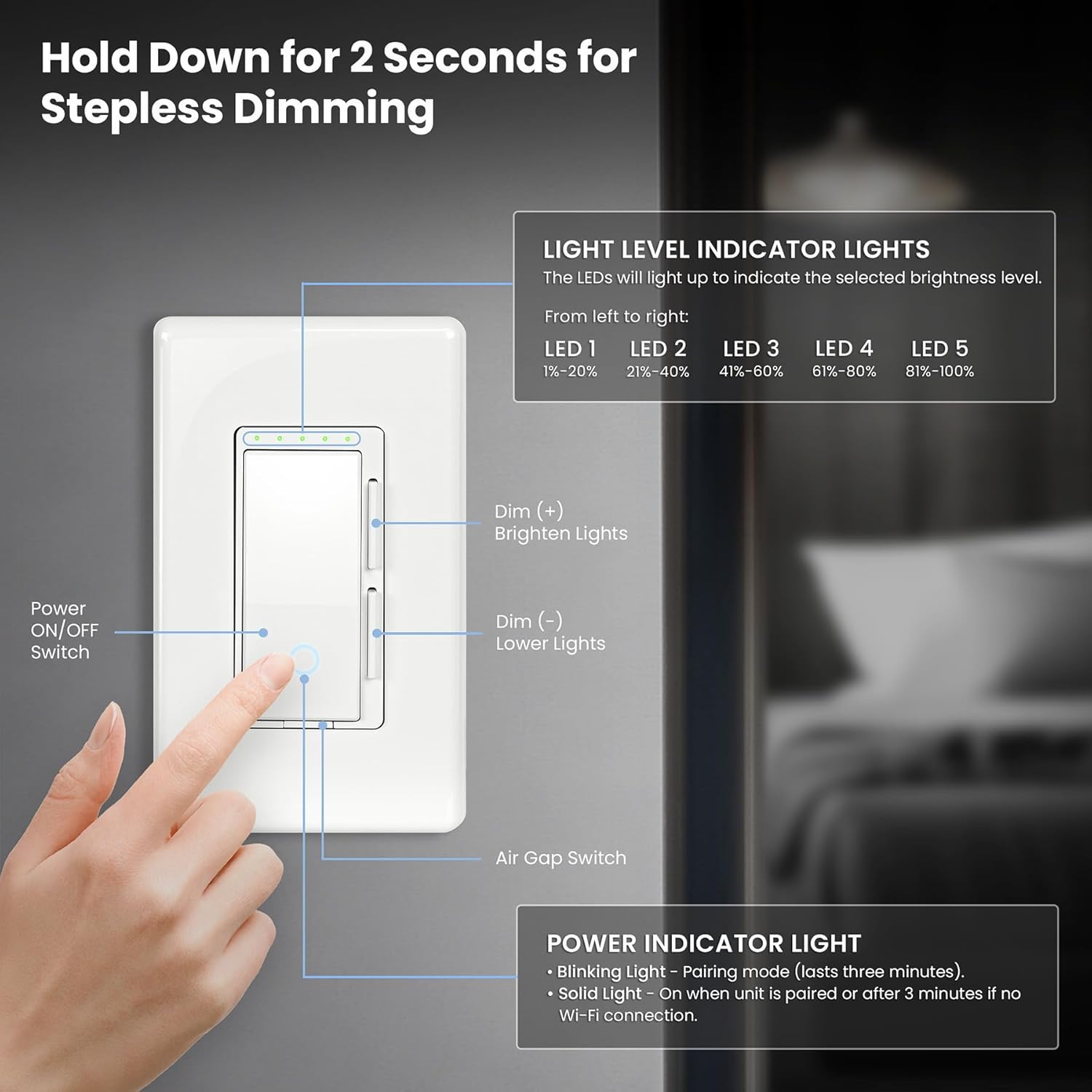



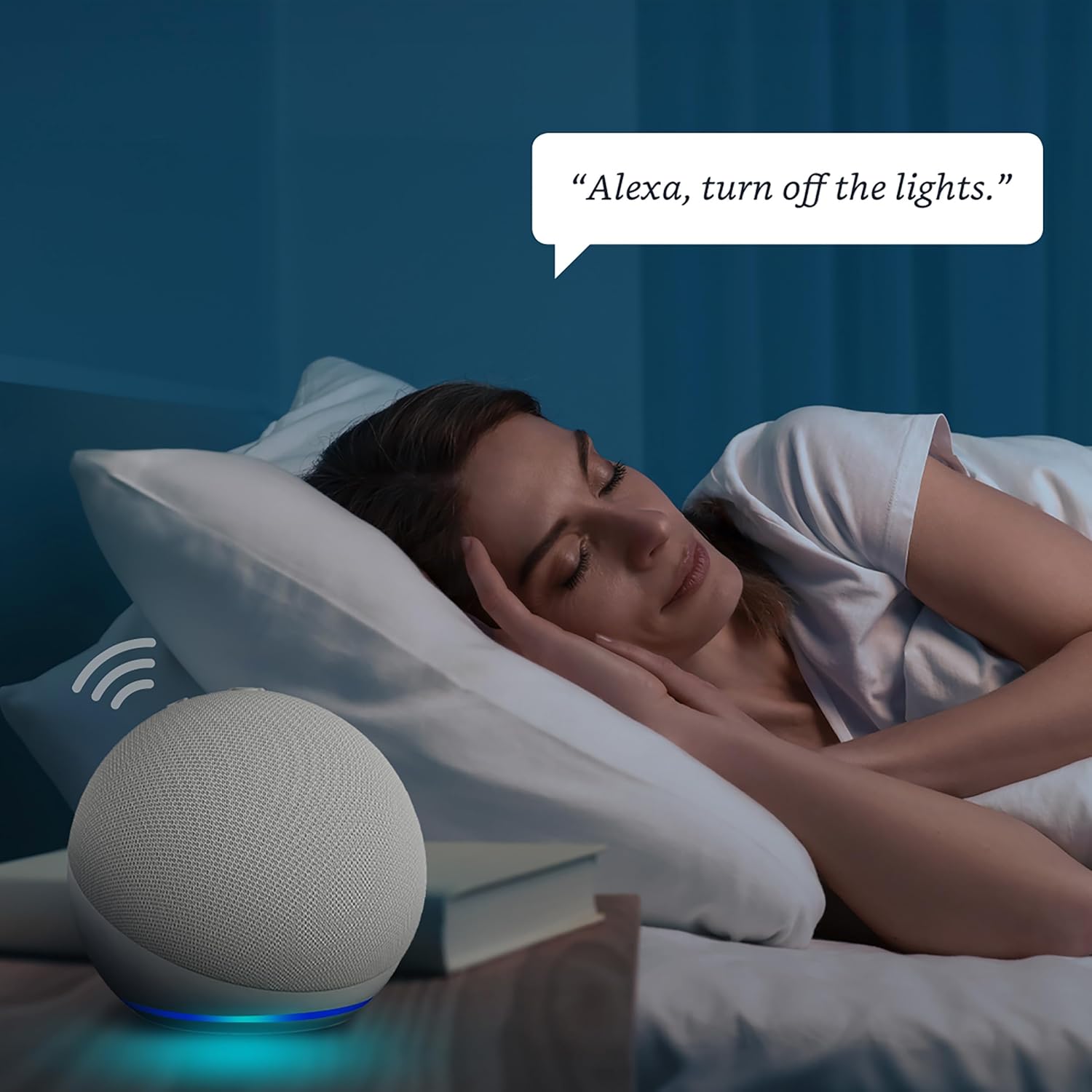


Transform your home into a smart home with the Feit Electric Smart Wi-Fi Dimmer. Feit Electric Smart Dimmer Light Switch works as smart or standard dimmer. A 2. 4 GHz Wi-Fi network connection is required to setup as smart dimmer. Set schedules and adjust the brightness of your home without touching a single switch – simply use the intuitive mobile app or give a voice command to your Alexa or Google Assistant device. This dimmer works with all dimmable incandescent, halogen, CFL or LED light bulbs. Group up to 20 smart dimmers via Wi-Fi, even if they’re on different circuits. Create a master dimmer to control the actions of others. Each dimmer includes a screwless decorative wall plate with an LED indicator light. Installation hardware is included. Licensed electrician is recommended for installation. It is easily setup and connect up to 20 smart dimmers remotely.
Product Dimensions : 5 x 3 x 1.8 inches; 7.37 ounces
Item model number : DIM/WIFI
Department : Unisex-Adult
Date First Available : July 1, 2019
Manufacturer : Feit Electric
ASIN : B07SXDFH38
Best Sellers Rank: #18,454 in Tools & Home Improvement (See Top 100 in Tools & Home Improvement) #54 in Dimmer Switches
Customer Reviews: 4.2 4.2 out of 5 stars (1,528) var dpAcrHasRegisteredArcLinkClickAction; P.when(‘A’, ‘ready’).execute(function(A) { if (dpAcrHasRegisteredArcLinkClickAction !== true) { dpAcrHasRegisteredArcLinkClickAction = true; A.declarative( ‘acrLink-click-metrics’, ‘click’, { “allowLinkDefault”: true }, function (event) { if (window.ue) { ue.count(“acrLinkClickCount”, (ue.count(“acrLinkClickCount”) || 0) + 1); } } ); } }); P.when(‘A’, ‘cf’).execute(function(A) { A.declarative(‘acrStarsLink-click-metrics’, ‘click’, { “allowLinkDefault” : true }, function(event){ if(window.ue) { ue.count(“acrStarsLinkWithPopoverClickCount”, (ue.count(“acrStarsLinkWithPopoverClickCount”) || 0) + 1); } }); });
✅ REQUIRES NEUTRAL WIRE FOR INSTALLATION – A Licensed electrician is recommended for installation; Replaces single pole or 3-way switch; Dimmable LED and CFL loads up to 150W and incandescent/halogen loads up to 450W
✅ 2.4GHZ WIFI-ENABLED – Compatible with 2.4 GHz Wifi network only; control from anywhere with the feit electric app. Compatible with dimmable incandescent or LED light bulbs; Make any non-smart bulbs smart, setup schedules, dimming and timers.
✅ VOICE CONTROL OR SET SCHEDULES – Wifi dimmer switch that works with Alexa and Google Home Assistant. Once connected tell your device to dim your lights to a percentage, or turn on/off. Set schedules or timers within the app to set your routine.
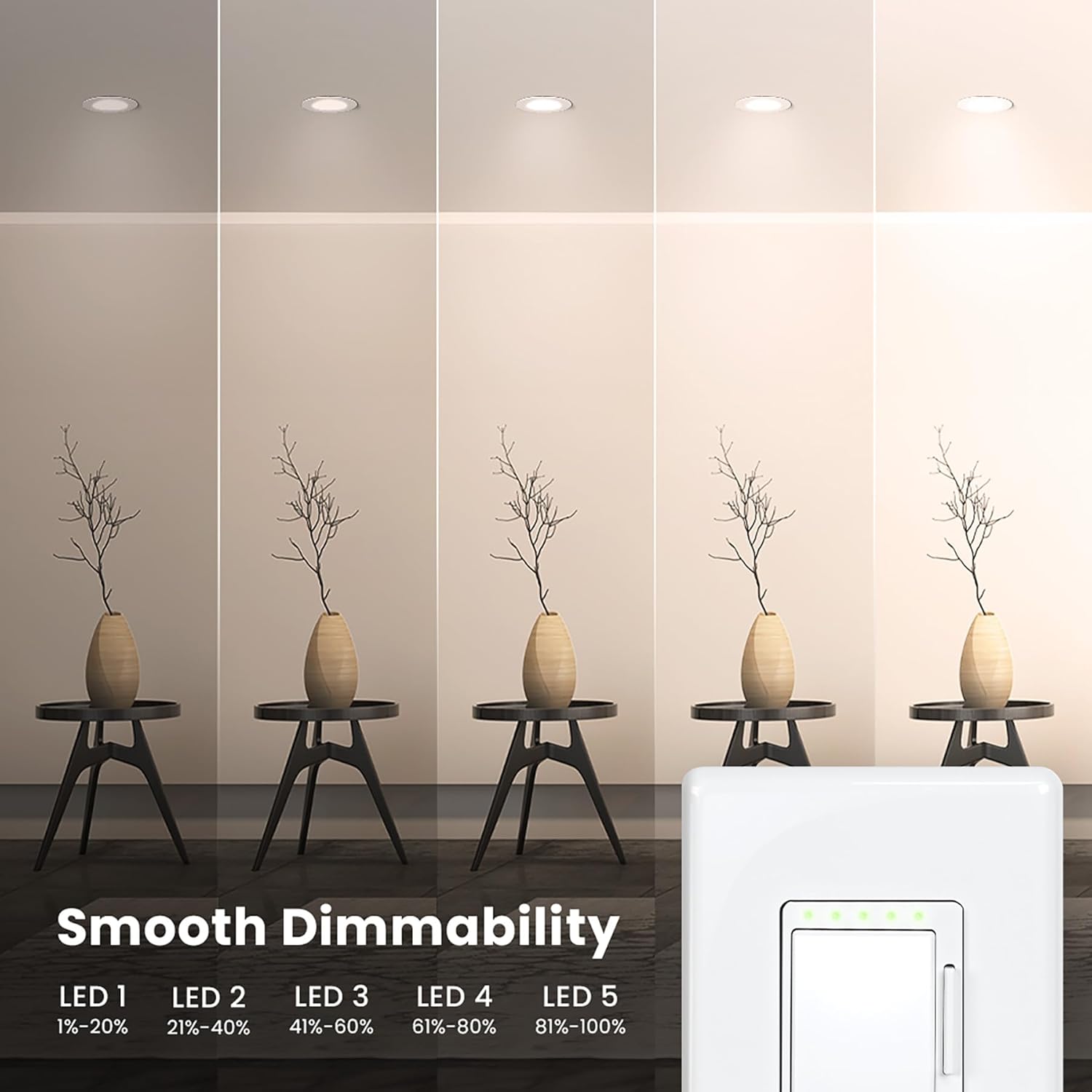
✅ 120 VOLT & 60HZ, 15 AMP MAX: Use 2 dimmers on the same circuit. Dimmer design includes a power indicator light to show connectivity, LED dimming indicator lights for dimmability range, and comes with mounting frame and decorative wall plate.
✅ COMPATIBLE WIRING: Single Pole, 3-Way and 4-Way are all compatible with the Feit smart dimmer switch. Neutral Wire is required. 1-Gang, 2-Gang, 3-Gang Installations are all compatible (only 1-gang decorative wall plate included)
✅ RELIABLE AND SAFE PERFORMANCE: Built with high-quality materials and advanced safety features, this Smart Dimmer Switch ensures durability and long-lasting performance. Enjoy stable and flicker-free dimming while protecting your home with overload protection and fire-resistant housing.
✅ 1-YEAR WARRANTY AND EXCEPTIONAL CUSTOMER SUPPORT: Your purchase is backed by a 1-year warranty, ensuring peace of mind and product reliability. If you have any questions or encounter issues, please call us for immediate assistance. We’re committed to providing excellent customer service to make your smart home experience smooth and enjoyable.
9 reviews for Feit Electric Smart Dimmer Switch, Neutral Wire Required for Installation, Compatible with Amazon Alexa and Google Assistant, Smart Dimmer Light Switch, White, Model:DIM/WiFi
Add a review

$18.69
David –
These are the BEST smart switches; I tried them all
I tried just about ever smart switch I could find on Amazon, Home Depot, and Lowes, and these are very best. First I’ll address a couple of the initial concerns I (and others) had with these, and how I easily fixed them. Then I’ll list some basic pros and cons.(1) I initially thought the indicator light had to be always on or always off. Some smart switches, by default, have the indicator light on when the lights are off (to help find the switch in the dark), and off when the lights were on. You can achieve this with a super simple automation in the Feit app to turn the indicator light off when the lights turn on, and another automation to turn the indicator light on when the lights turn off. Good to go 🙂 I’ll attach a picture so you can see what one of the automations looks like.(2) The green brightness indicator lights at the top of the switch are always on when the lights are on, and you can’t choose to turn them off, sadly. This was the only dealbreaker for me for this switch because of the annoying green color. If they were a white light, I think it wouldn’t matter. However, I’m very happy with the solution I found for this. Before installing each switch, I simply unscrewed the few screws on the back of the switch so that I could access the green lights inside. Then I just put a single, thin piece of black duct tape over the green lights (or maybe a couple strips to be safe), and screwed the back of the switch back on. So yes, this is a pretty permanent solution, but we don’t need those green indicator lights to know how dim our lights are (we just look around the room to see how bright it is). In the picture I attached, two of the switches are on, and the switch on the right is off.Pros:-Voice-enabled control. (We use Google, not Alexa.)-Programmable timing. I have automation so that if we turn the lights on at night, they are at 1% brightness, and when we turn them on in the morning, they are already at 100% again.-Mood lighting, and integration with other smart devices. We have a lot of lamps plugged into smart outlets, and our TVs are smart too; these can all work together with the google home app (and Alexa, too). I have an automation where if I turn off the kitchen lights between 9 pm and 1 am, or if I tell google “It’s bedtime,” allll the lights, lamps, TVs, etc. in our house turn off.-Remote monitor and control. It’s nice to use my phone to control things if I don’t want to use my voice assistant or walk to a physical switch.Cons:-The lowest brightness could be lower. I’ve tried other switches that could get my lights dimmer at the lowest setting. The dimmest these switches will let my lights be is about 10% brightness for some other switches. They are still really dim at the lowest setting, so this was not a deal breaker. If getting ultra-low dimness is your priority, maybe don’t buy these.-Like I mentioned before, the annoying green indicator lights are always on when the lights are on, but my solution to this works perfect for us, so this isn’t really a con for me anymore.
Matthew Filliman –
Good value, flexible installation
After reading many reviews I am pleased to report that some deficiencies have been addressed:a. The white power/pairing light is fully controllable in software. In the Feit app, select the device, select settings. On the “minimum brightness adjustment page (which looks like you can’t scroll) scroll up past the big Save button and there will be a setting for the power indicator light. (Off, Low, High). To change it, 1st click on the padlock further down to unlock it, then click on the desired setting, and finally click on the Save button (above). The dimmer should react immediately to the change.b. The power indicator light can also be dynamically controlled as part of an Automation Scene as well. So you can build scenes that only enable the indicator when the lights are off, or turn the indicator light off at a certain time of day (useful in a bedroom at night).c. While the instructions and the included wiring diagrams are correct, some explanation regarding the behavior of the remote switch in a multi-switch environment might be helpful:1. The dimmer itself needs power & neutral to operate. It really doesn’t matter whether the line power comes from the remote box (via a traveler) or is already present in the box the dimmer is installed into.2. The traveler (marked yellow on the installation diagrams) is simply a control input to the dimmer that toggles between 0v (disconnected/open) and line voltage. The switch doesn’t actually power the lights directly anymore, rather the dimmer decides how to control the lights exclusively. Therefore as long as the remote switch can switch line voltage to the yellow wire from any nearby source, you’re good to go.3. Unlike a traditional 3-way manual switch pair, the remote switch can be just a normal on-off switch. It doesn’t have to be a 3-way. The installation instructions state this in a note.d. Some installers try to wedge the wires underneath the screws on the dimmer. That is incorrect. Loosen each screw on the dimmer, insert the wire in the hole on the back of the dimmer adjacent to the screw, and then tighten the screw. If the wire comes back out it means either the screw wasn’t loosened enough prior to the wire being inserted, or the wire isn’t long enough. When the screws are loosened, internally two metal plates are being separated. When the screws are tightened those internal plates clamp down on the wire in-between them.e. On our dimmer, the default behavior when operated “manually” with the wall switches is to energize at the last selected brightness level. Not sure why others report an uncommanded return to 100%?f. The feit app works okay, but I find the default device view (called “grid”) annoying in that pressing the device toggles its on/off state rather than allowing brightness adjustment. The solution is easy, switch the view to “list” view. From “My home” in Feit app, click on the 3 dots in the upper right. A dropdown will show a number of management options, the 1st will be the alternate view selection. In “list” view the device will be shown in a rectangle with a clearly marked power button on the right and the descriptive text on the left. Tap the text to get into the dimmer control.Both Google and Alexa integrations are working well.I will update this review if I encounter any issues using the dimmer.
Tony –
Great switch at good price
I use many feit products. I use the feit app to activate switches then Google home or Alexa to set up voice control on and off or dimming. Works flawlessly
dan –
Junk! Doesn’t Work, Poor Build, Decrepit Design All in 1
I try to find at least some positive feature to mention in a review, but this product has none. AVOID1. It does not work in combination with a 3-way switch when elements are connected according to the instructions. “Work” means it does not power a standard LED light/bulb or turnkey LED dimmable product. All that happens is that the silly led’s on the switch turn on, confirming that the switch itself is properly powered.2. The design is a mess. The wire-connecting screws on the side are tight and do not screw out enough to connect standard #14 wire (as in Romex). If one attempts to unscrew the screws beyond where unscewing becomes tight, they fall out and let loose internal harware that rattles around inside. Once that happens, they cannot be screwed back in (without taking the switch apart which presumably would void any warranty- although using the term warranty for this junk seems like a bad joke).3. Just to get this part clear- I am a licensed radio amateur, a licensed professional engineer, and have an engineering Ph.D. from MIT. So this review does not arise out of being clumsy or ignorance regarding electrical wiring etc. I have decades of experience with this type of product. This one is JUNK.
Toronto –
Took me 10 minutes to install and to pair with app.I didnt need the instructions since I wired light switches before.3 way was simple.Only complaint is the wire had to be stripped quite long since the light clamping screws was very deep.The tactile feel is good when using the switch.Pairing will app took 2 minutes and worked great.Over all a really nice wi fi dimmer thats worked perfectly.No flickering,no buzzing.
Ricardo Hernandez –
La calidad del producto luce muy bien, lo puse en la cocina para las lamparas de la barra, funciono perfecto se integra excelente con ALEXA y es perfectamente configurable con rutinas, la app super sencilla jalo a la primera y se conecto a wifi a la primera, solo no sabia como ponerlas por el neutro, pero se pudo y bien no es problema del dimmer si no de mis conocimientos, mis lamparas son de led y jala perfecto el dimmer, tanto con la app, con ALEXA y con voz
Dima Razbornov –
Works as expected and is pretty easy to install. Got 4th one already.
Jose Luis Borja Feregrino –
Funciona muy bien, con lamparas led funciona regular no por el Dimmer en si, si no porque es difícil encontrar unos buenos focos led dimmeables. Funciona perfecto con la aplicación conectado o no a la red WiFi doméstica. La instalación es muy fácil solo hay que tomar en cuenta algunos puntos:- Primero se deben identificar los cables o los colores que corresponden en nuestra instalación al vivo o live, a el neutro y a la tierra si nuestra intalación la tuviera.- A la caja donde se va a instalar el Dimmer en la pared debe llegar un cable de alimentación, tambien llamado vivo o fase porque en muchos casos solo esta el cable nuetro y el que va de regreso al foco y asi no es posible conectarlo.- Al Dimmer se debe conectar el cable vivo (fase), el neutro o cable verde, y un tercer cable que va al foco- El foco se conecta a ese tercer cable que viene del Dimmer y al neurtro o cable verde.- No fue necesario usar tierra para que funcionara bien
Mau –
I have already returned the same switch before, because it was damaged and didn’t work . I clearly wrote the return reason, so would get pulled out from stock; Only to receive the same switch a couple weeks later when I bought a “ new one “Neutral port on dimmer switch is damaged and the toggle to turn on and off doesn’t manually work, rendering the switch useless.Someone should read the return message, since they ask you why are you returning the item.It’s Amazon inspected, but definitely not tested.